
- P1–P4 Priority set from impact and urgency, never guessed
- 2 clocks Response and resolution, on business hours or around the clock
- 11 IT, AV/VTC, network and cabling service categories, ready to use
- 1 trail A tamper-evident audit log of every change
Why it exists
A generic help desk doesn’t know what you promised.
If you support more than one customer, you already know the gap. The ticket tool tracks tickets. The service levels live in a contract. The hours live in a spreadsheet. You find out about the problem at invoice time.
-
“The contract says 4 hours.”
The tool says “High priority” and runs one global timer. Nobody can say, right now, which tickets are about to breach their customer’s terms.
-
“How many hours have we used?”
Answered by whoever opens the spreadsheet. Labor against a customer is a surprise at month end, not a trend you can act on.
-
“The monthly report takes a day.”
Counts, SLA compliance and labor pulled by hand, for every customer, every month. And the customer still asks for it in a different format.
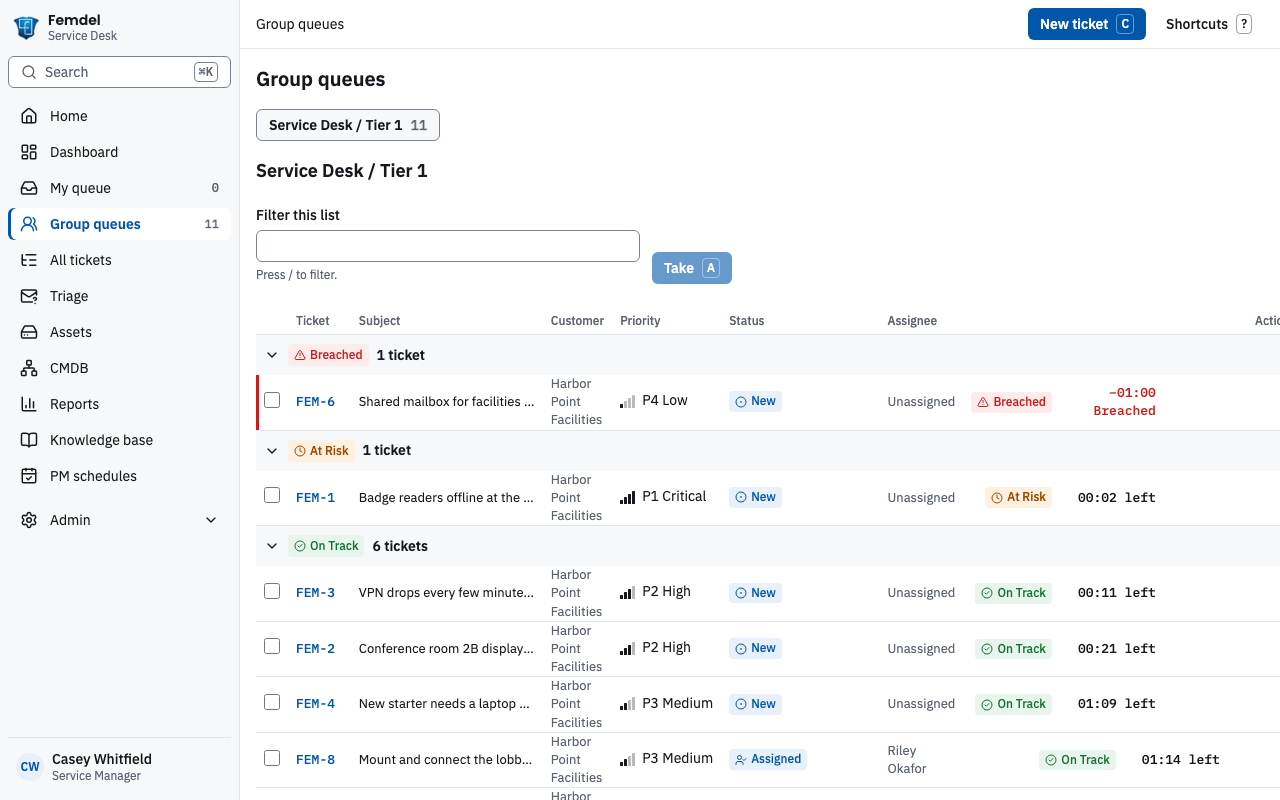
Ticket queues with SLA timers
Every ticket carries the promise that applies to it.
Response and resolution targets are set per customer. ServiceLedger picks the right ones when a ticket is opened and runs the clock for you.
- A live timer on every ticket, so the team works the most urgent first
- Breached, at risk, on track: queues group tickets by how close each is to its target
- Business hours or around the clock, set separately for response and resolution
- Clocks pause while a ticket waits on the Customer
- Priority from impact and urgency, with P1 tickets confirmed by the desk and escalated automatically
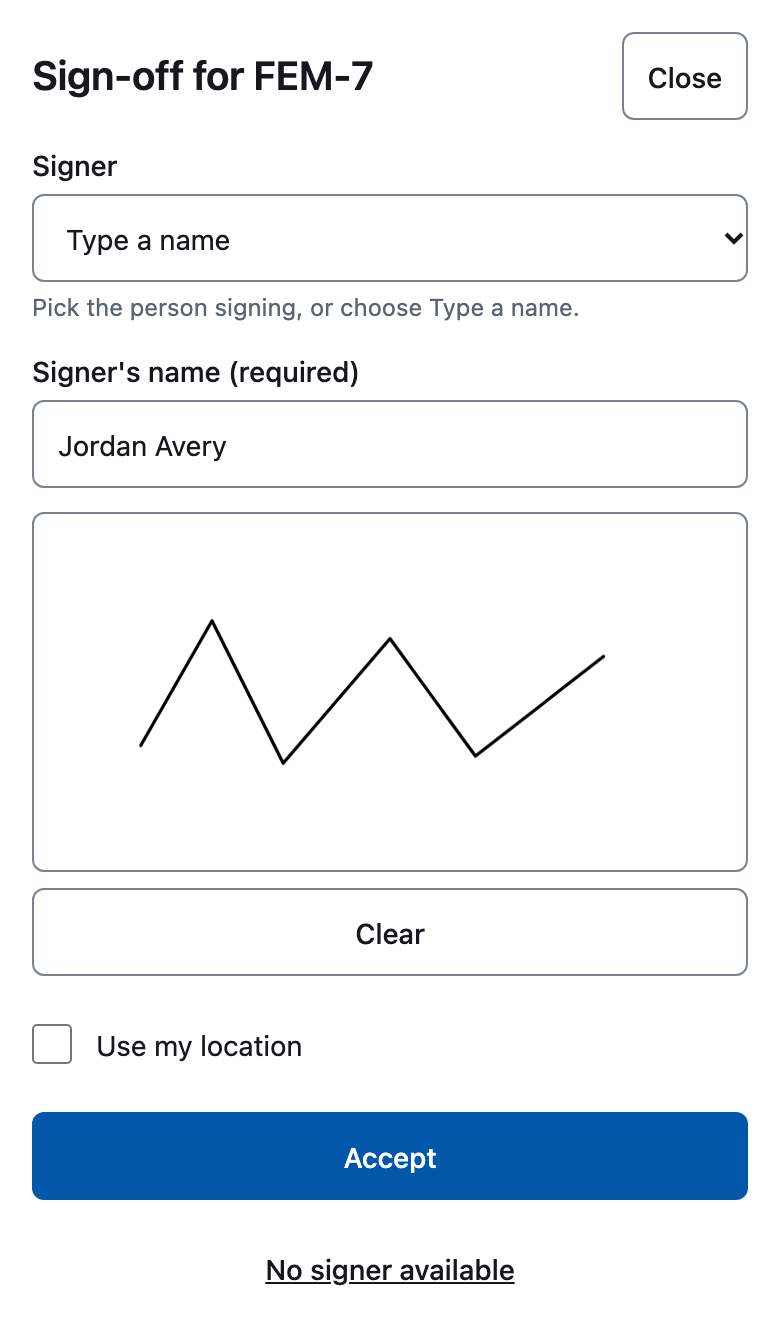
Mobile field service with sign-off
The job is done when the customer says so.
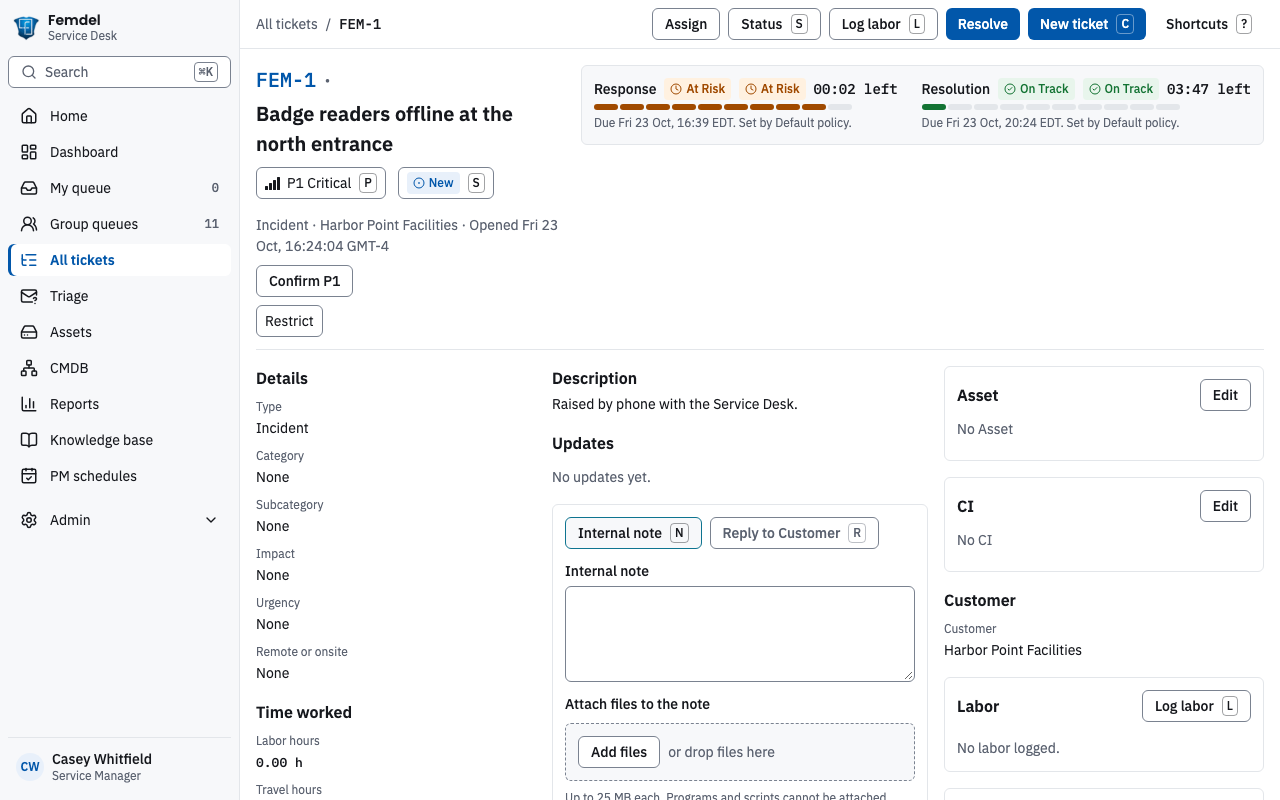
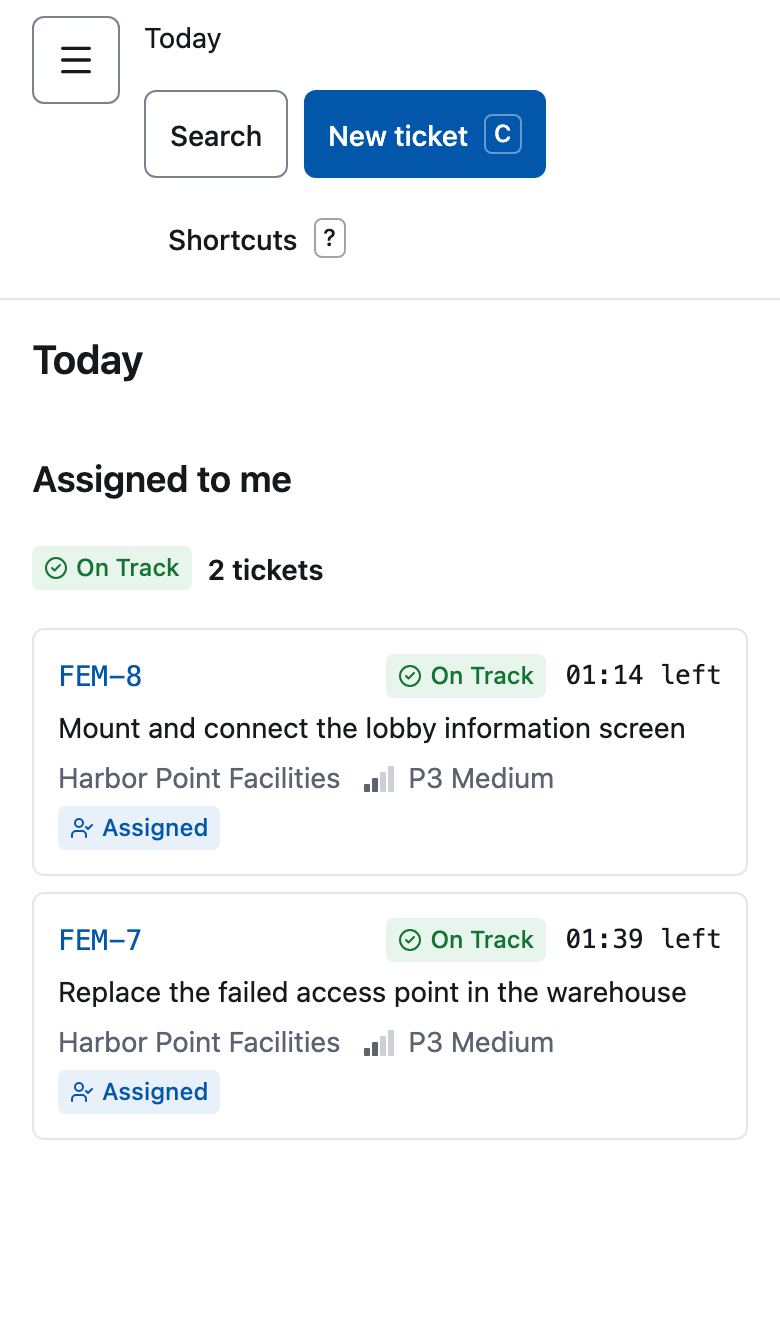
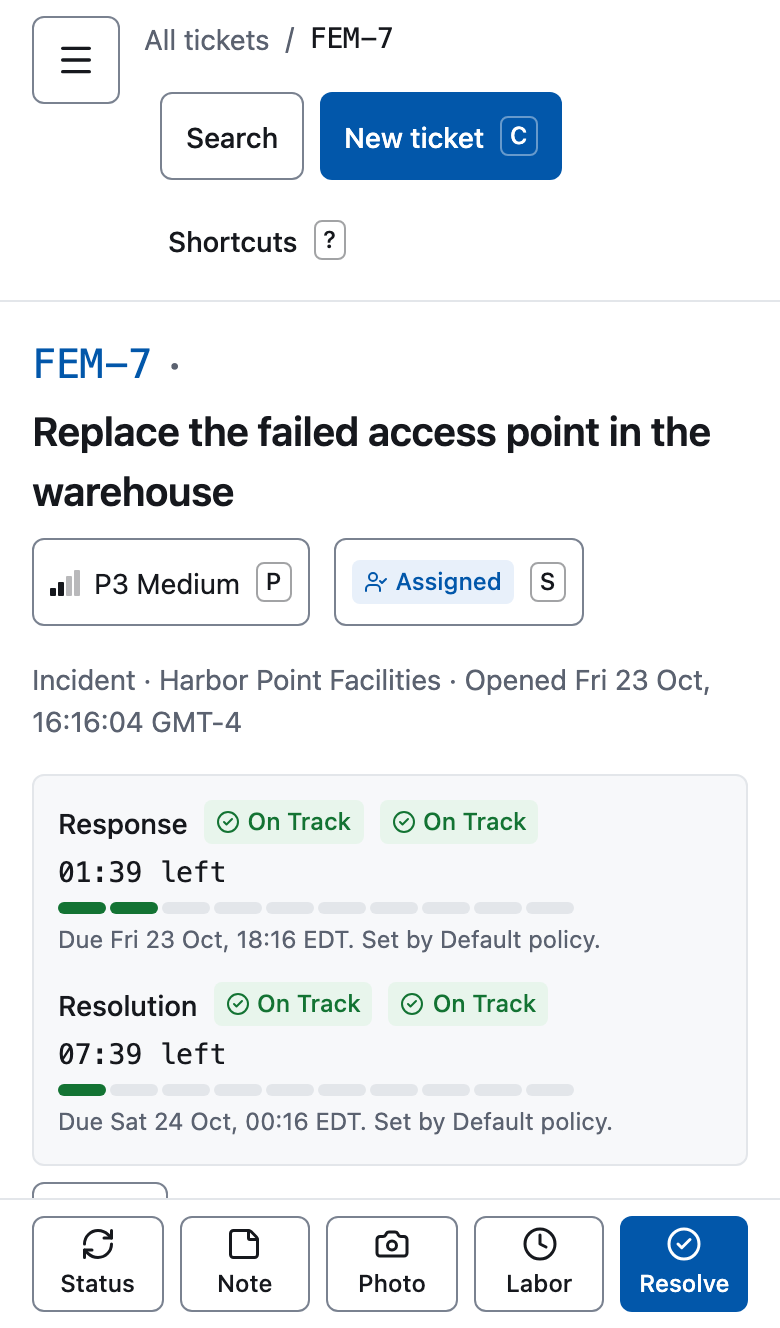
Technicians work their jobs from a phone: nothing to install, and it keeps working on a poor connection.
- Today at a glance: the day’s jobs and scheduled visits in one list
- Record time and notes on site, and attach photos from the camera
- Customer sign-off before leaving, with a signature pad, a typed-name fallback and a path for when nobody can sign
- Visits scheduled for the customer, with the ticket contact told
- Install it on the phone and get notifications for new jobs
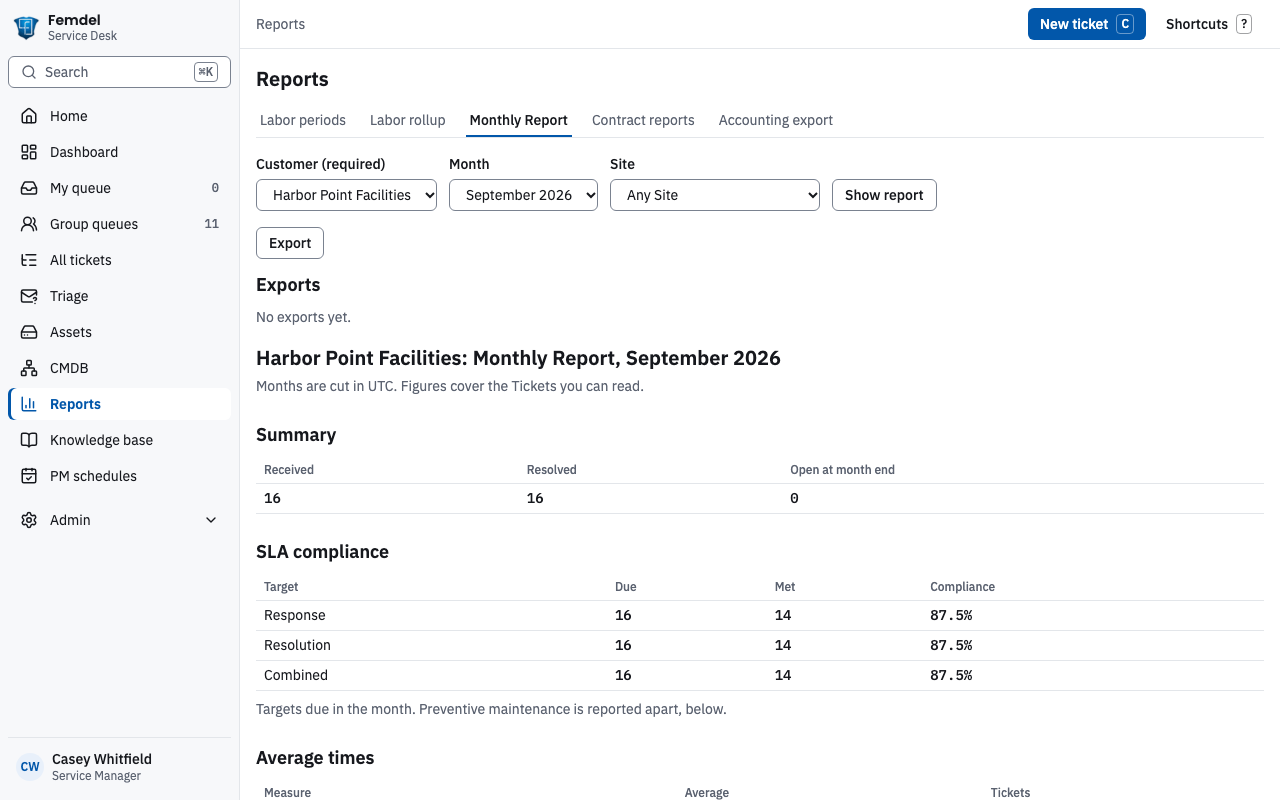
Monthly reports
The monthly report writes itself.
Pick a customer and a month. Get the report your stakeholders expect, in the format they open.
- Ticket volumes received, resolved and still open at month end
- SLA compliance for response and resolution, with average times
- Labor by technician, regular, after-hours and travel, billable or not
- Contract reports and an accounting export for the billing system
- Export to a file to share, print or open in a spreadsheet
Customer portal
A clear window for your customers, never a view into anyone else’s.
Each customer organization signs in to its own portal. They see their requests, their equipment and the service levels you committed to. They cannot see other customers, your internal notes or your rates.
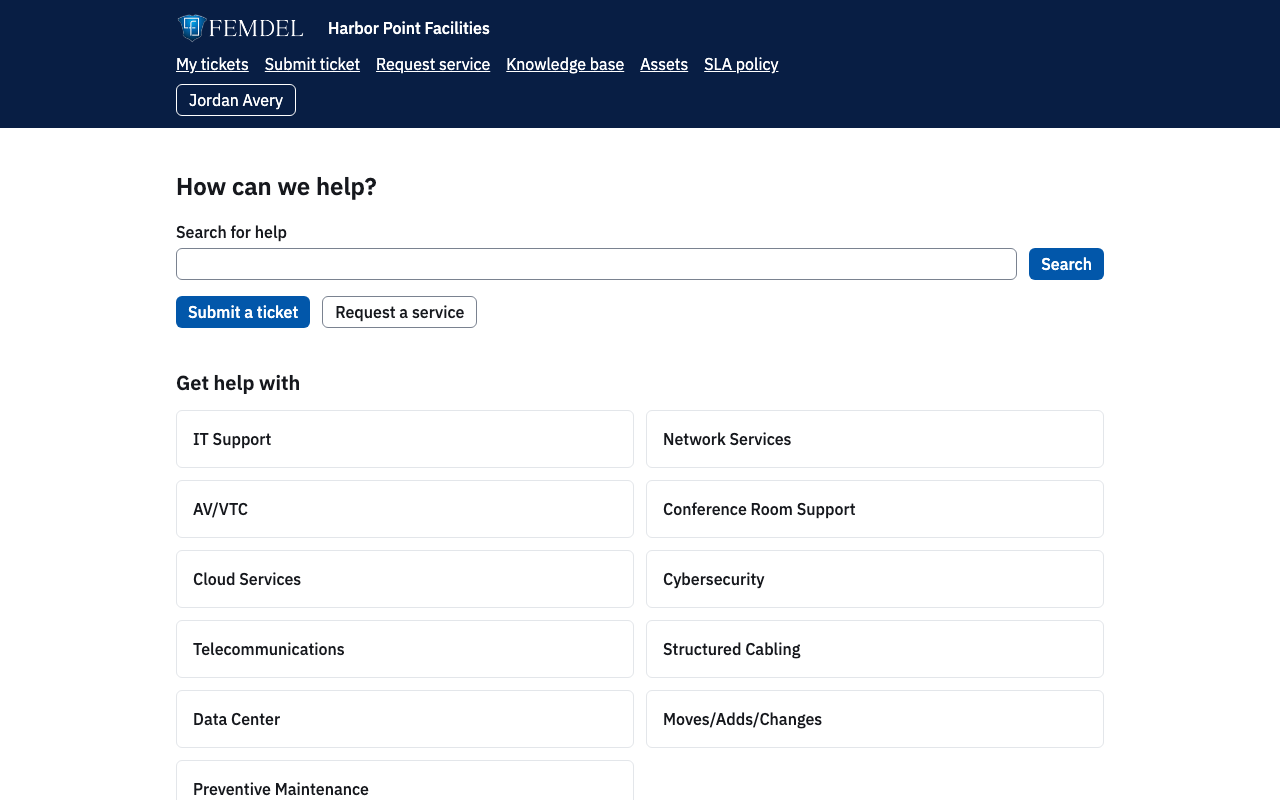
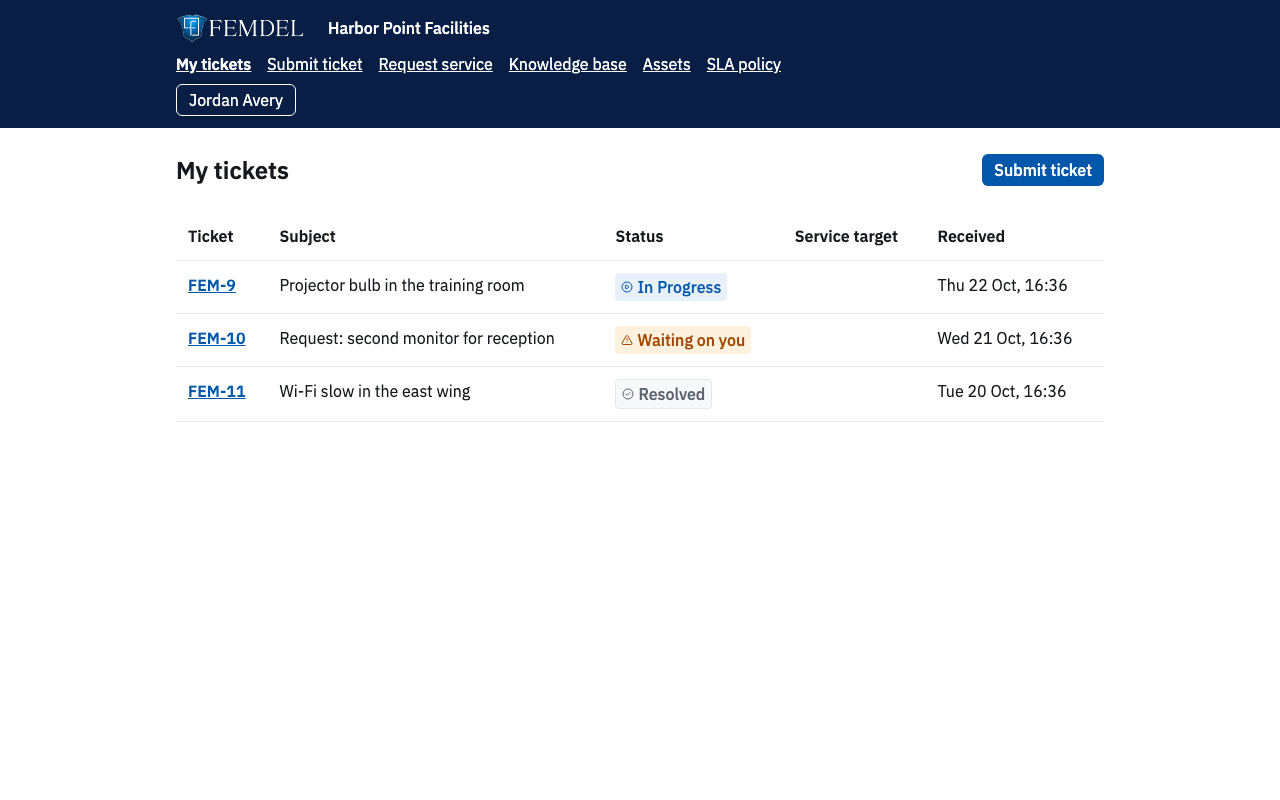
- Request by portal or by email. Messages from a customer’s address become tickets, and replies stay on the same thread.
- Customers confirm the fix: accept or reopen a resolution, then rate the service
- Strict separation: every record belongs to one customer, and asking for someone else’s ticket gets “not found”
- Works on a phone: a knowledge base, equipment list and SLA policy for each customer
Everything else you need
A complete service desk, not a bolt-on.
-
Ticketing that fits the work
Impact and urgency set priority. Internal notes, checklists, parts used and a resolution summary on every ticket.
-
Labor and parts
Time entries split into regular, after-hours and travel, marked billable or not, with parts recorded against the ticket.
-
Email to ticket
Incoming messages become tickets under the right customer, and replies stay on the thread.
-
Assets and dependencies
Record each device and how they depend on each other, so the next outage shows its blast radius. Preventive maintenance creates its own work orders.
-
Knowledge base
Write how-to articles once and share them with every customer or just one, to cut repeat requests.
-
Roles that make sense
Admin, manager, technician and customer roles, each seeing and changing only what they should.
-
API and webhooks
A REST API, inbound alert webhooks that de-duplicate repeat alerts, and signed outbound webhooks for your own tools.
-
Customer satisfaction
A survey on every closed ticket, so the trend is visible in the report.
How it works
From first request to monthly report in four steps.
-
Add the customer
Sites, contacts and the people who may sign in.
-
Set the service levels
Response and resolution per priority, on business hours or around the clock.
-
Let the tickets flow
From the portal, by email or entered by staff. Clocks start and warn on their own.
-
Report and invoice
One click for the monthly report and the accounting export.
Security and trust
Built for the reviews that security teams ask for.
Identity, separation and audit controls are part of the platform, not bolted on.
- Sign-in with multi-factor authentication: Femdel staff through Microsoft 365, each customer with local accounts or its own identity provider
- Customer data separated at the record level, with role-based access
- Tamper-evident audit log of every change
- Hosted in the United States, with a US government cloud option for customers that need one
- Backups copied to a second region, with a yearly failover drill
- Deletion needs two administrators and ends with a certificate
Questions
What people ask first.
Who is it for?
Teams that support several customers, each with its own service levels: IT, AV and network support providers, and the contractors who report to a government customer.
How is it different from a general help desk?
Each ticket is measured against the service levels of the customer it belongs to, and the reports are written for the person who manages that customer.
Can one customer ever see another customer’s data?
No. Every record belongs to one customer, and customer users can reach only their own organization’s records. Asking for anything else returns “not found”.
Does it send email?
Yes. Incoming email becomes tickets, and ticket updates, alerts and satisfaction surveys go out by email. Replies stay on the same ticket.
Do you support single sign-on and multi-factor authentication?
Femdel staff sign in through Microsoft 365 with multi-factor authentication. Each customer uses either local accounts with multi-factor authentication or its own identity provider.
Where is my data hosted?
In US regions of a commercial cloud. A customer whose contracts involve controlled information can have its own deployment in a US government cloud.
Can I try it first?
Yes. Ask for a demo below, or use the walkthrough if we have sent you a link.
Request a demo
Tell us who you are and we will get in touch to arrange a walkthrough. Fields marked required are required.
Contact support
Already a Customer and need help? Sign in to the portal, call us, or send a message.
Support phone: to be announced